Quick Summary:
Grocery stores in South Africa face monetary and productivity-related losses from frequent billing errors, stock discrepancies, expired products, stockouts, poor stocking, theft risks, and more. POS software’s modules, features, and integrations are designed specifically for grocery stores and supermarkets to help reduce such losses.
This blog will help you understand the following:
- What reasons lead to losses for grocery stores.
- How Grocery store POS software can help trim all grocery store losses.
- How advanced POS software can help grocery store owners.
- Understand features such as hybrid POS, Multi-UOM, etc.
Every day, grocery stores in South Africa lose money to problems that are often preventable. Stockout situations, power cuts during billing, cash-related theft, expired products, and high supplier prices can quietly eat into profits. For independent stores, township shops, supermarkets, and family-run businesses that run on thin margins, these everyday challenges can quickly turn into significant losses.
Running a grocery store is not easy in South Africa. Such daily issues and losses can pile up over the year and affect the overall profitability of a grocery store or supermarket running in South Africa.
However, every problem has a solution. For grocery store owners, implementing affordable Grocery Store POS software with all features that are specifically designed for trimming losses of grocery stores is a way to reduce grocery store losses.
Wondering how?
In this article, we have listed 10 ways POS software reduces grocery store losses and how it helps grocery store owners do their daily activities smartly.
Why Do Grocery Stores Lose Money?
Grocery stores lose money mostly due to poor management of daily activities and wrong billing systems.
Common causes include:
- Inventory loss: Stocks go missing due to theft, shoplifting, or damage due to poor handling, poor storage, or expiry.
- Billing errors: Without automated billing systems, you can quote wrong prices, miss items from billing, or miscalculate the total sum during final checkout.
- Expired stock: When you don’t have a system or software that warns you days before any item in your grocery store is going to expiry, your perishable goods with expiry dates on them can go unsold.
- Overstocking or understocking: Without a system that tells you every day which stocks are selling the most on a daily basis and which stocks are not selling at all, you may not be able to keep the right amount of inventory as required. Cash tied up in slow stock, or lost sales when fast-moving products run out.
- Unauthorised transactions: With a proper POS billing system, your staff may sell items without accounting for them, or give refunds unknowingly for items that they haven’t sold from your store. They might also give unauthorised discounts to known persons.
- Supplier price differences: Losses also occur when you don’t have a system to map the grocery products you procure from the cheapest supplier. This is known as product-wise supplier mapping. Some wholesalers provide particular products cheaper than others. If you keep procuring from the same suppliers, they can charge you more.
- Poor purchasing decisions: ordering products based on guesswork rather than actual sales data
- Stockouts: You don’t have an automated POS system that runs your billing is a big cause of stockouts. POS can send alerts about which stock is selling fast and will soon go out of stock. Otherwise, you will face losses when customers cannot find their required products in-store. They will go to a competitor’s store.
- Cash handling losses: Depending more on cash transactions can increase the chances of theft/robbery. Also, counterfeit notes or duplicate currency notes are common issues in South Africa.
- Payment failures due to poor POS billing systems: If you have installed a billing system from the local providers and it has issues such as network connections, frequent software glitches, sudden updating during billing, the system not working properly, or sales delays due to poor connectivity with card machines, then you will lose sales and time. Also, customers get annoyed seeing such things.
- Electricity interruptions: You pay for a billing software, but it cannot run without network or internet connectivity? Is electricity a must-have requirement? Your billing system is old-aged then and will cause losses.
- Incorrect inventory records: Do you do everything manually, including stock counting, physical and recorded stock verifications, etc.? Waste of time and inventory-related losses. Such activities are impractical, especially when you have multiple stores or run a supermarket.
- Poor inventory categorisation: Categorising inventory as per the product type, brand, size, unit, variants, etc. can help in better stock management, better layout, and more control over restocking the right type of inventory. Customer demands a particular variant, and it is not available; you face sales losses.
- Untracked wastage: Damaged, broken, spilt, or spoilt products are discarded, thrown out, or misplaced without record.
- Manual financial record-keeping: Financial record-keeping is also important for tax compliance in South Africa. Without it, you risk action from the SARS.
- Customer switching: Customers go to competitors when popular products are unavailable or prices are higher. Without loyalty management, discounts and proper promotions, you lose customers to those who offer them better than you.
- Losses across branches: Run more than two grocery stores? Such losses as mentioned above will multiply.
10 Ways POS Software Reduces Grocery Store Losses Significantly
A good POS system does more than generate bills. It tracks stock, flags errors, and gives you the reports you need to catch losses early. Here’s how it helps.
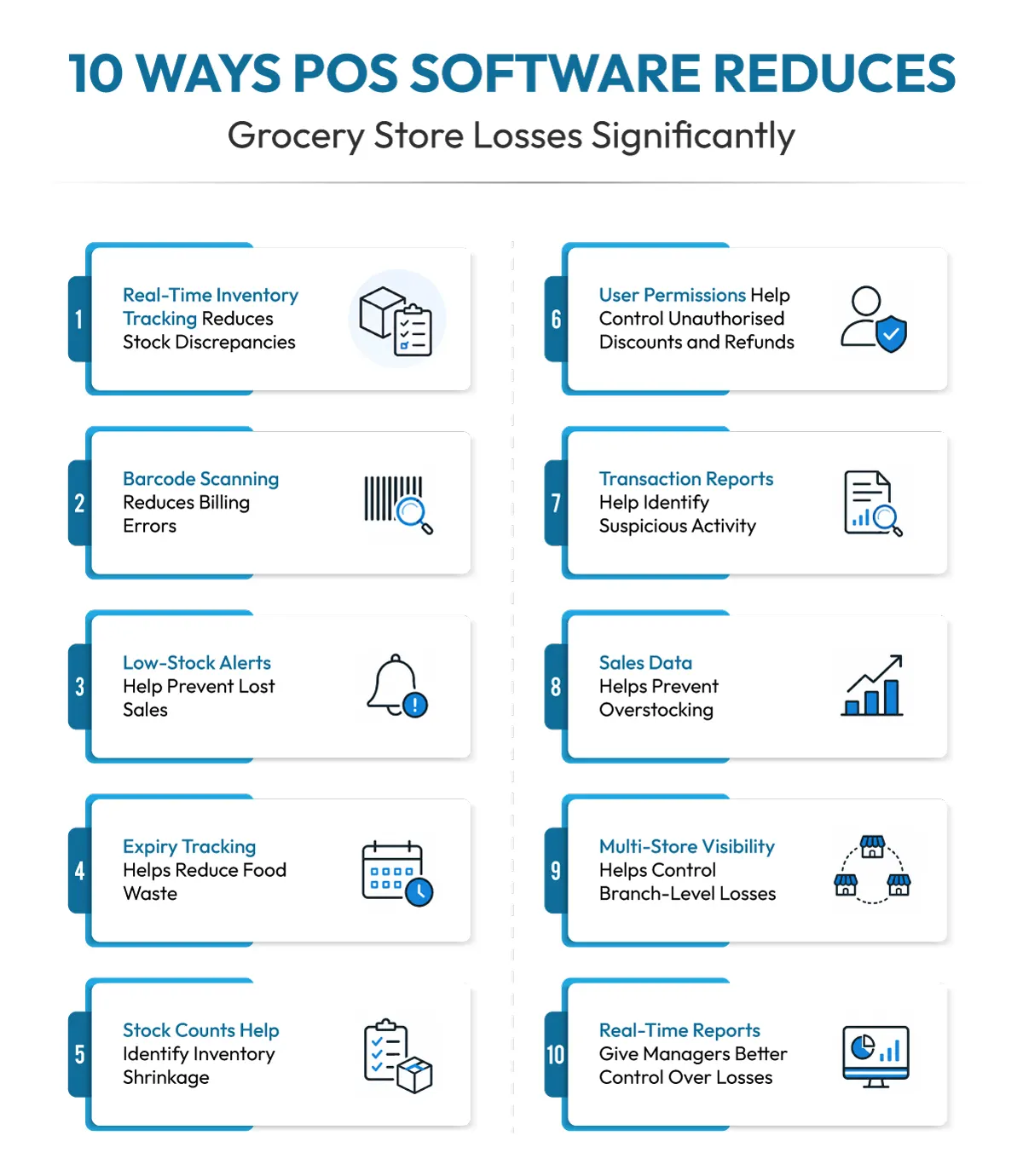
1. Real-Time Inventory Tracking Reduces Stock Discrepancies
Every sale that is not recorded or recorded manually will not be able to track the inventory count. You sold a packet of pulses; you cannot remember how many packets are left now exactly. Inventory management with robust POS software built for grocery stores solves stock discrepancy challenges and losses arising due to it.
You do a sale, and it’s recorded in POS software. It has an SKU-level recording system. It will exactly tell you, on one click, how many packets of a particular item you have in stock now and how many are in other stores (if you have more locations).
It also displays on the dashboard how many of it you sold during the month, week, or in the last 90 days in one click. With such recording, you always know the exact item number in your physical grocery store and what’s in the record. No discrepancies. No guesswork. You also know how much to order now as per current stock numbers.
2. Barcode Scanning Reduces Billing Errors
Manual billing means manually reviewing the packet’s price details and expiry, then entering the price and product details into the billing software. It is a slow and error-prone billing method. There is a high chance that you put the wrong numbers in the billing software occasionally. Especially during busy hours, seasons, and rush, this is a very outdated billing method. Barcode scanning eliminates this risk and the losses related to it.
A barcode scanner integrated with the POS software reads the item data from the label with simple scanning. The dashboard billing screen will show the price and other details instantly. This not only speeds up the billing processes but also significantly reduces billing errors.
3. Low-Stock Alerts Help Prevent Lost Sales
Most South African grocery stores that don’t implement smart POS software face losses due to low stocks. With so many items, product categories, and variants in grocery stores, store owners or managers can’t keep track of which items are running low in the inventory.
By the time they realise, there are already customers asking for the item at the counter. With insufficient stock, you will lose a customer who will simply buy from another nearby store. POS software such as Vasy has low stock alert features.
This means once an item falls below a fixed number (that you have decided in advance), it will send you automated email alerts or mobile alerts. This gives you time to reorder it before the product faces a stockout.
4. Expiry Tracking Helps Reduce Food Waste
There are cases when you forget to check the expiry date on an item, and even customers don’t check it. Legal penalties, health risks to customers, negative reviews, and poor trust are risks you face if you sell even a single expired item and the customer gets to know it later.
While this is a big issue, losses on expired items are another major profit-eater. You didn’t proactively track the items that are going to expire in the near future, and then, after the expiry date, those items are a waste.
That’s why expiry management is important for grocery stores.
POS software with expiry management features sends alerts days before a particular product is going to expire. Also, it flags a product on the billing system where the product is nearing its expiry date or has already expired. This way, you will never sell an expired item.
The UNEP Food Waste Index Report 2024 found that retailers are responsible for about 12% of the world’s food waste, among others, amounting to 131 million tonnes a year.
5. Stock Counts Help Identify Inventory Shrinkage
Shrinkage is gaps between the on-record stock and on-hand stock in the store. If the POS shows 100 units of a product should be available, but a physical count finds only 98 units, the store has an unexplained shortage of 8 units. Until it widens significantly, many grocery store managers, owners, or staff won’t even notice it. But in reality, even a 1 or 2% shrinkage can cause heavy losses.
Data compiled from SARRI, SAPS, CGCSA, TRACIT 2025, the Drinks Federation of SA, and SAHPRA shows that South African retailers collectively lose an estimated R23 billion annually to theft and shrinkage. That’s roughly 2% to 2.5% of total retail turnover! These numbers look small as percentages. But on the thin margins a grocery store runs on, even a 2-3% loss is significant.
Regular stock counts help grocery store owners verify the inventory on hand with that in the POS records. However, most grocery store retailers don’t have time for it. POS software that has a stock verification module built into it can help expedite this process. POS software makes stock counts faster and more accurate, using barcode scans instead of manual tallying.
Any unexplained difference can point out hidden issues with the store’s inventory management. From shoplifting and employee-based theft to damaged goods and incorrect billing or stock wastage, a proper stock count with POS can resolve this issue.
1. User Permissions Help Control Unauthorised Discounts and Refunds
Not every loss comes from outside the store. Employee theft, unauthorised discounts, and fake refunds are also causes of losses to grocery store businesses. Your staff may sell items wrongly, make billing errors, issue discounts that are not eligible, or refund for an item that you didn’t even sell but the customer pressured your staff to accept. POS software is the solution to such issues.
You can assign admin rights to the authorised cashier, and all billing goes through the software only. The software records it all. No question of any discounts, refunds, or price overrides.
Employee-related losses are a bigger share of shrink than most owners assume. Data shows that employee theft accounts for nearly 29% of total retail shrink. Permission-based controls are one of the simplest ways to reduce this.
2. Transaction Reports Help Identify Suspicious Activity
Without transaction reports or properly recorded sales transactions, grocery stores will never identify suspicious activities happening in their stores. These include shoplifting incidents, cashier-led thefts, staff-led billing goof-ups, wrong billing, item mixups, unauthorised refunds, discounts that are higher than your predefined levels, etc.
Shoplifting is a lesser-realised but one of the top factors affecting profit margins, cash flow, and staff morale. According to the crime statistics released by the South African Police Service, 9385 shoplifting cases were reported nationally just within a period of 3 months in late 2025.
Only when you deploy an advanced POS system with extensive transaction tracking capabilities, alerts and notification systems, and also admin controls, can you prevent these losses.
3. Sales Data Helps Prevent Overstocking
Overstocking is equally culpable for losses in grocery stores like understocking. Worse, it even ties up your cash in products that are not selling. It increases spoilage or damage risks of products that are lying in the store without movement.
This is why sales data from POS is important. The POS sales data reveals all the products that don’t sell fast and therefore prevent their reorders or stocking.
4. Multi-Store Visibility Helps Control Branch-Level Losses
For grocery chains with more than one branch, losses can multiply as much as the stores they have. Similar issues at all stores will cause substantial losses.
Therefore, you need POS software that has multi-store management features where you get visibility of stocks, customers, suppliers, products, bills, discounts, and all other operational activities on a single centralised dashboard.
This makes it easy to spot which store needs attention, instead of waiting for a problem to show up in year-end numbers.
5. Real-Time Reports Give Managers Better Control Over Losses
Losses are hardest to fix when you find out about them too late. POS software solves this with real-time reports on inventory, customers, sales, stocks, discounts, and cash flow.
These reports can reveal much about your store’s cash flow, inventory health, supplier strength, customer relationships and loyalty metrics, and which stocks are profitable and which are dragging you towards losses.
POS Software vs Manual Inventory Tracking for Grocery Stores
Manual tracking might work for a very small store, but it struggles as your grocery business grows. Here’s how the two compare:
| Workflow | Manual | POS Software |
|---|---|---|
|
Stock accuracy |
Prone to human error |
Updates automatically with every sale |
|
Billing speed |
Slower, manual entry |
Fast, barcode-based billing |
|
Expiry management |
Tracked on paper, or not at all |
Automated alerts before expiry |
|
Shrinkage detection |
Found only during stock counts |
Flagged through real-time reports |
|
Multi-store visibility |
Difficult to consolidate |
One centralised dashboard |
|
Reporting |
Manual and time-consuming |
Instant, automated reports |
How Does Vasy Help Grocery Stores Control Inventory Losses?
Vasy POS software is designed to assist grocery stores in trimming their losses and empowering them much beyond it. It is a complete ecosystem engineered for improving their productivity, sales, customers, and profitability.
Here are the key ways it can help:
1. Real-Time Stock Tracking: Every sale updates inventory in real-time, preventing cases of stock discrepancies, stock mismanagement, or stock count not aligning.
2. Stock Alerts & Reordering: No stockout issues as it sends timely low-stock alerts and can automate reordering.
3. Expiry & Waste Management: Inbuilt features for tracking expiry of each product and sending alerts for its better management. Deploy Vasy, and spoilage-related losses become far easier to prevent.
4. Fast & Slow-Moving Stock Reports: Vasy’s POS sends you alerts and also shows on your dashboard the best- and least-selling items. It helps make better restocking decisions.
5. Multi-UOM Management: Vasy supports businesses that buy items in different units and sell in different units. For instance buy in recorded as cartons, boxes, packs, pieces, and kilogrammes with automatic conversion during selling.
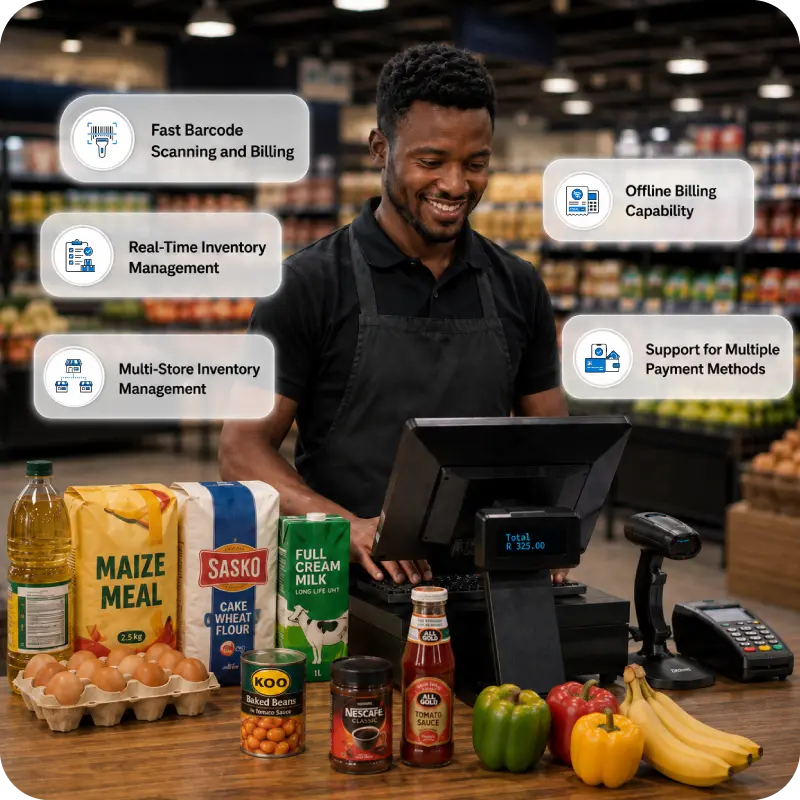
6. Hybrid POS: Its online/offline POS can continue billing without internet and sync data when connectivity returns. This is useful for grocery stores in areas where electricity and internet disruptions are frequent.
7. User Access: User-level access and audit trails help grocery business owners prevent issues caused by staff-led actions such as discounts without permissions.
8. mPOS: Vasy’s Mobile POS is one of the most useful features for supermarket operations. It allows billing from any location where the staff is, without limitations of the counter.
9. VAT-Ready Billing: Automated tax calculations and tax reporting for fully compliant billing and tax records.
10. Multi-Store Inventory Control: Centralised inventory visibility and stock transfers help owners manage losses across multiple branches.
11. Image-Based Billing: Shows product images on the dashboard to make selection of items easier for cashiers.
12. Multiple Payment Integrations: Allows your customers to pay via card, cash, EFT, and other supported payment methods in South Africa
Wrapping Up:
POS software gives grocery store owners better control over their inventory, billing, sales, and staff activity. It reduces grocery store losses by recording all stock-related and billing activities and sales/supplier transactions accurately.
POS software such as Vasy has advanced features, such as UOM, hybrid POS, mobile POS, etc., which are lifesavers for South African grocery retailers. The more you get your transactions over POS, the less the need for cash, and it helps prevent theft/robbery attempts too.
Frequently Asked Questions
Yes. POS software eliminates errors caused by a lack of real-time data. Advanced POS systems flag low stock, provide alerts for expiring products, and log every transaction. This helps grocery stores identify shrinkage, billing errors, and waste before they become larger losses.
POS software matches physical stock with digital records after every sale, return, or transfer. Combined with barcode-based stock counts and role-based staff permissions, it helps grocery store owners identify discrepancies and investigate their causes.
Yes. Expiry management is a key feature of grocery POS systems, including Vasy. It helps track sell-by dates for perishable products and alerts staff before stock expires. Stores can then prioritise these products for sale or offer discounts to reduce waste.
POS software can make it harder to hide theft through role-based permissions and transaction tracking. Only authorised employees can approve certain discounts or refunds, while detailed transaction reports can flag unusual activity such as frequent voids or repeated manual overrides.
POS software reduces manual data entry by automatically updating inventory after sales, returns, and stock transfers. Barcode scanning and real-time stock updates help keep inventory records accurate and reduce the need for manual reconciliation.
Last Updated on August 18, 2026