Quick Summary:
A supermarket POS is more than a billing counter. It is a complete ecosystem that connects billing, inventory, promotions, accounting, and reporting through one centralised dashboard. But not every POS comes with the A-to-Z features a South African supermarket needs to run profitably. Choosing the right one is critical for seamless operations and growth of your supermarket.
This article will help you understand:
- Why choosing the right POS system matters.
- The 10 factors to evaluate before selecting a POS.
- Which is more suitable for a supermarket: a cloud or traditional POS.
- How to evaluate and compare POS vendors.
POS systems are the key software solutions that take care of supermarkets’ daily operational activities. From billing and stock management to promotions and accounting, supermarket managers rely on the POS system for managing daily workflows. The supermarket POS is a complete ecosystem that connects all major departments through a centralised dashboard. It has the features, modules, and integrations required for handling various operational activities.
However, you need the right POS system if you want to handle all your supermarket workflows without hassle. Deploying a poorly designed POS can actually cause more trouble. Therefore, choosing the right POS system is important for seamless supermarket operations.
This article will guide you on how to choose the right POS system to run your supermarket or retail stores like a Pro.
Why Choosing the Right Supermarket POS Software Matters?
Modern POS software is unlike the older Till system, which had functionalities limited to billing only. Today, with advancements in retail technologies, POS systems have become highly advanced. Modern POS systems are built to solve everyday challenges faced by supermarket owners and managers.
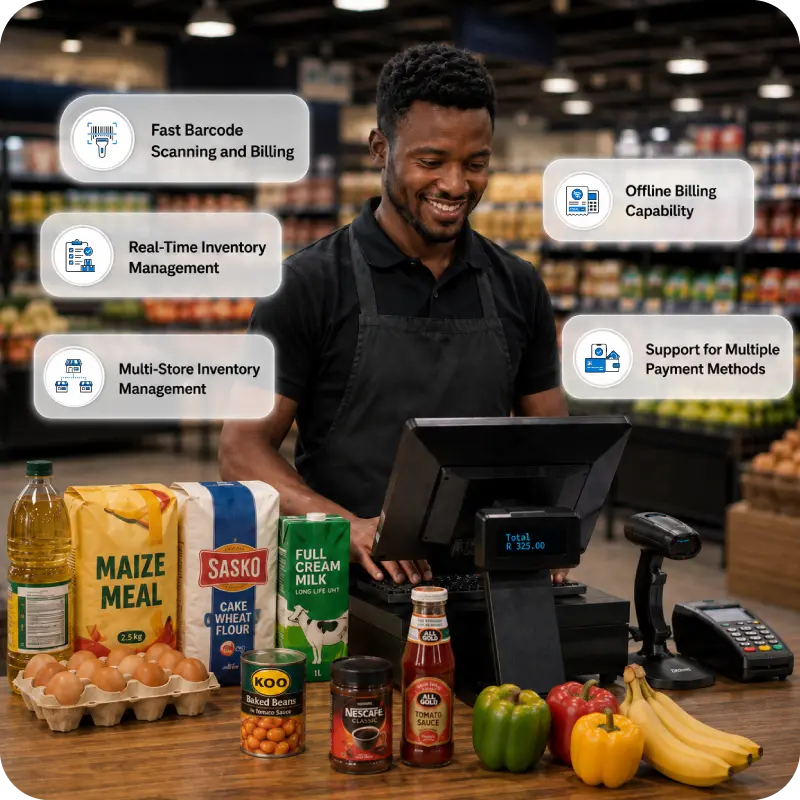
For instance, an inventory manager can check the next stock that should be procured now based on the best/least selling data visible on the POS dashboard. The cashier can use the POS software for barcode-based faster billing to reduce the queue at billing counters. Sales teams can use the mPOS feature to bill from anywhere in the supermarket. These are practical challenges solved by the POS, and such use cases are extensive.
While modern POS bridges all the gaps supermarkets face in tracking every item, its variants, expiries, stock levels, etc., not all POS systems come with the A-to-Z features required to run a supermarket profitably. This is why choosing the right one matters.
Not just the user-friendly design, but functionalities, modules, integrations, and add-ons matter while evaluating the right POS as per your supermarket-specific workflows.
Let’s see in detail all the key factors one should consider when selecting the right POS for supermarkets and retail chains.
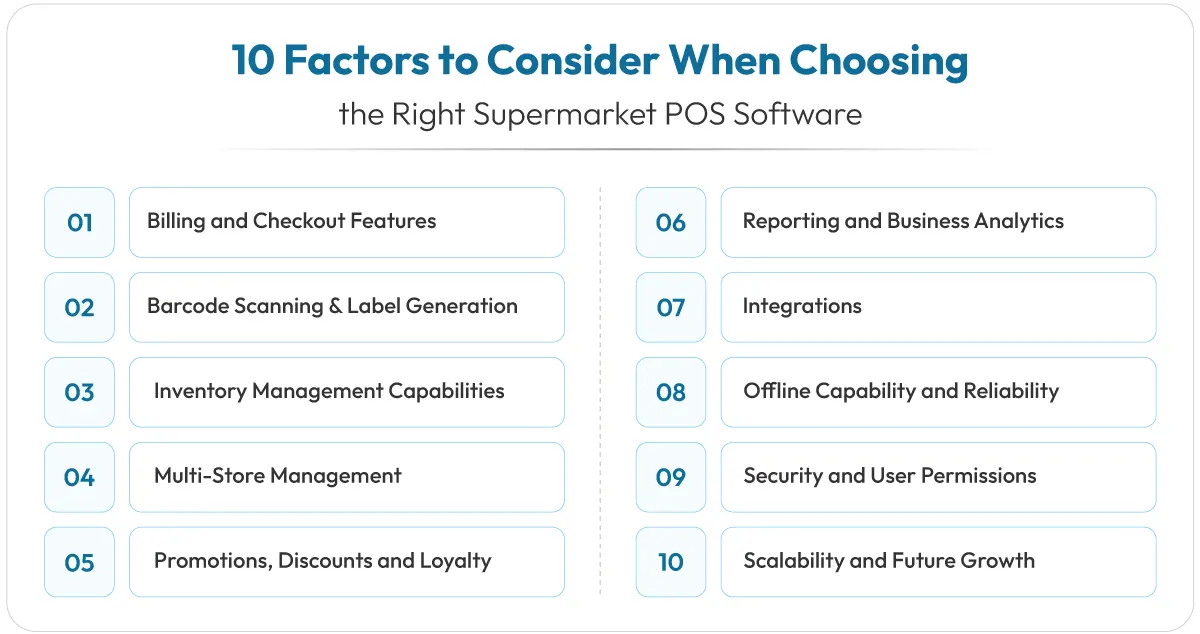
10 Factors to Consider When Choosing the Right Supermarket POS Software
Below are the top 10 factors to select the best POS system for a South African supermarket.
1. Billing and Checkout Features
Billing is the main feature of POS. In fact, the name POS (point of sale) means the transaction carried out at the sale point (billing counter). Therefore, before you choose the POS, make sure that the POS has billing features such as:
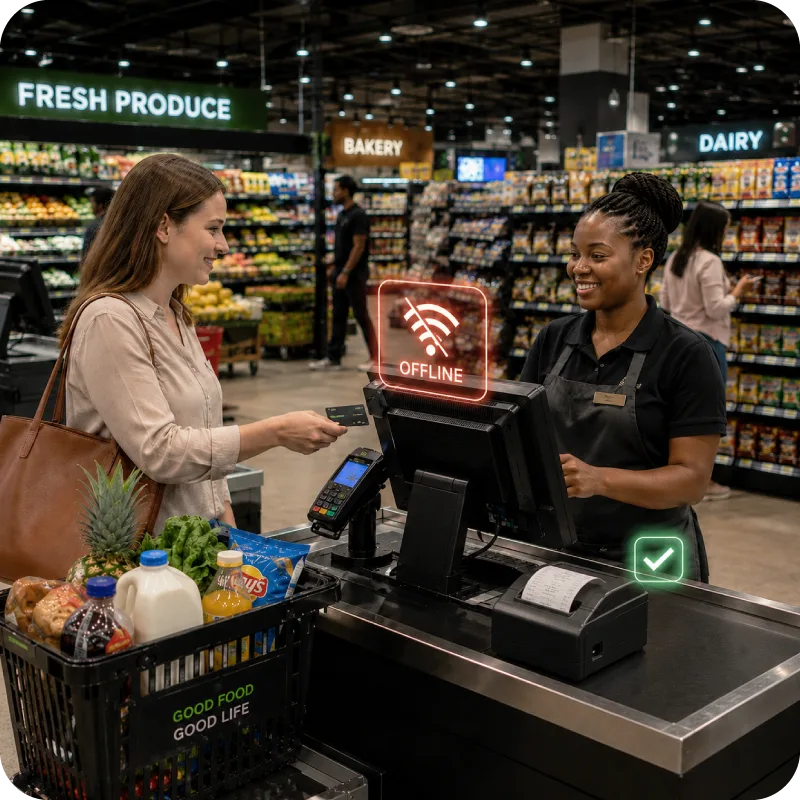
- Online and offline billing (necessary during Eskom outages)
- Glitch-free, faster payment with multiple pay options (card, cash, wallets, etc.)
- Payment integrations (SnapScan, Zapper)
- Image-based POS that helps identify objects faster for the cashier/biller
- Integrated returns and refunds module/feature
- WhatsApp integration for sending bill directly to shoppers on WhatsApp.
- Weighing-scale integration to check out items that are sold by weight
2. Barcode Scanning and Label Generation
During billing, if the cashier has to manually enter the product details for billing, it is not only an outdated method but also extremely slow. Fast, accurate scanning of product labels with a barcode scanner will add product details on the screen instantly. It will keep queues short, and customers will appreciate the fast checkout service.
The POS should have inbuilt functionality to:
- Generate barcodes and product labels
- Create barcodes for new stock
- Bulk print barcodes
- Barcode creation as per international standards (UPC Code, EAN Code, CODE 39, CODE 128, ITF)
Your product management team can generate and print these labels for better inventory management.
3. Inventory Management Capabilities
When you are handling thousands of SKUs, product variants, categories, and item types, you cannot rely on manual inventory management.
Look for a POS software that has all the features for inventory management such as:
- Tracking items as per category, size, colour, and variant
- Product management module that lets all details of products be recorded, including images.
- Sends stock alerts for low/expiry stocks
- Automated order (auto-replenishment) feature for items that fall below a threshold level you have pre-decided
- Inventory tracking from supermarket store, warehouse, in-transit and outgoing inventory
- Stock audit and verification module for cycle counting, yearly inventory audits
- Advanced features such as Multi-UOM (unit of measure) so you can buy in cartons and sell in loose units
- Reports for best/least selling stocks for better product procurement and assortment
4. Multi-Store Management
If you run more than one supermarket branch, multi-store management features are the first thing you need. Whether the POS system can handle data, billing, inventory, staff info, sales, etc. from all stores centrally or not. This should be one of the key factors to select the best POS system for supermarkets.
Select a POS software that offers:
- Dashboard to view billing, stock data, sales, and staff across all branches both centrally and in a standalone manner for a particular supermarket location
- Stock transfer and stock request features between stores from various locations
- Whether bulk price changes and promotions can be applied to all stores or not
- Store-wise and consolidated reporting to compare branch performance
5. Promotions, Discounts and Loyalty
South African shoppers are no different than any shoppers around the globe. All love a good discount, a promotional offer, a voucher, or a loyalty programme. These promotions cannot be run manually at the supermarket level. Also, any errors in discount percentages or loyalty points credit can cause monetary loss and customer dissatisfaction.
Make sure the POS can handle:
- Combo deals, bulk discounts, and buy-one-get-one offers
- Automatic discount application at checkout
- Built-in loyalty programme with points, virtual membership card and vouchers
- Contact data module to feed in shopper data for promotions
6. Reporting and Business Analytics
POS-based data insights are valuable in retail. They are crucial for further improving the supermarket’s workflows, customer experience, footfalls, and profitability. This is why go for a POS that has an inbuilt reporting module and provides all types of reports you need to visualize and track your business.
Choose a POS that has an MIS reporting Module:
- A dashboard that displays top-selling items, customer segmentation, current sales, receivables, etc.
- Reports related to products, suppliers, and customers
- Fast/slow-moving stock reports
- Expiry reports
- Profit and loss reports
- Demand forecasting reports
7. Integrations
Your POS should not work solo. Various workflows and requirements need third-party integrations. Payment, e-commerce, and CRM workflows require third-party integrations for better outcomes.
Check that the POS integrates seamlessly with:
- Accounting software for automatic financial records
- E-commerce platform integration for omnichannel supermarkets
- Payment gateways and card machines used in South Africa
- Shipping integrations for supermarkets that deliver to home
- Supplier integration for wholesale and B2B
- WhatsApp and SMS for customer communication
8. Offline Capability and Reliability
Loadshedding and outages are reality in South Africa. You cannot run a supermarket with a POS that fails when power is disrupted, or the internet goes down. This is why offline, or hybrid, POS is an essential feature you should not ignore.
Your POS should offer:
- Offline billing that keeps tills running during Eskom outages
- Automatic sync of all transactions once you are back online
- Stable, glitch-free performance in offline mode (even during high-volume, month-end rushes)
- Quick recovery when electricity or internet resumes
9. Security and User Permissions
Internal theft, employee-made mistakes, forgery, wrong discounts, unwarranted refunds, etc. can create disaster if their volume and scale are not controlled promptly. Therefore, the POS must have features where full control is only retained by the owner, whereas all others have user permissions to access the POS as per their role.
Look for security features such as:
- Role-based access to cashiers
- Approval system for refunds, discounts, etc.
- Audit trails that record who did what and when (user logs)
- Secure login with password and two-layer security option
10. Scalability and Future Growth
You are in the supermarket business to grow your retail presence beyond the one store. Expansions and new store openings are required for scaling the business. This is why your POS too should grow with you. It should be designed to handle one, two, ten, and several hundred stores too, if required.
Make sure your POS can:
- Add new tills, POS billing devices, and users easily
- Onboard new branches quickly, as simple as copy-paste
- Support online selling if you currently have only physical stores but plan to go omnichannel in the future
- Handle growing SKUs and transaction volumes without glitches or server performance issues
- Upgrade features and modules as your needs change
- Scale on the cloud and add custom features if you need to.
Cloud vs Traditional POS: Which Is Better for a Supermarket?
No doubt, in the age of AI and Industry 5.0 advancements in retail, you cannot rely on a traditional POS or on-premise POS that runs on local devices and stores data locally. One incident and all your data is gone.
Without manual backups every day, all your POS data can get destroyed in a day due to hardware failure.
What if only a day’s data is gone? It will also create major chaos.
Cloud-based POS is non-optional for modern supermarkets that want to scale, beat peers, and deliver exceptional customer service.
How to Evaluate and Compare POS Vendors?
The point-of-sale terminal market in South Africa is expected to reach a projected revenue of US$ 3,638.9 million by 2033. This is a whopping CAGR of 7.7% (2026-2033).
In such lucrative markets, all POS vendors will try to increase their market share by extreme promotions and offers. However, this narrow approach to getting a POS just because of its cheap pricing or current offer can cause you to lose money in the long term.
Therefore, evaluate and compare POS vendors on value-for-money metrics only and not for cheapness. But before that, make sure all the features, modules, and integrations discussed above in the article are present in the POS you are shortlisting.
Here is how to compare vendors properly:
- Ask for a live demo to show their actual dashboard and features
- Run the system yourself to check the functional strength of all features
- Ask if they provide training and implementation support
- Ask how they will move your existing data into their POS
- Ask for lock-in periods (the longer the lock-in period, the more of a red flag)
- Check their current clientele and experience and retail software tech experience.
- Make sure they provide future updates for free (necessary for cloud-based POS).
- Check the security features, prices, hidden charges, and upgrade charges
- Ask if any customization is possible or not (you will need this if you have special requirements)
- Check if the POS has an offline billing feature or not. Necessary for South African supermarkets.
If all answers meet your requirements—you have found the right POS system provider.
Why Vasy is a Strong POS Option for South African Supermarkets
Vasy is built for the way South African supermarkets actually conduct their business. It has been developed after tremendous research into the challenges, pain points, and issues faced by supermarkets in South Africa. Vasy team has been building retail software solutions for a decade. In fact, they have created ‘vina’ (the AI intelligence layer directly built into the POS system).
Vasy has all the key modules, functions, and add-ons that supermarkets need, from billing to reporting.
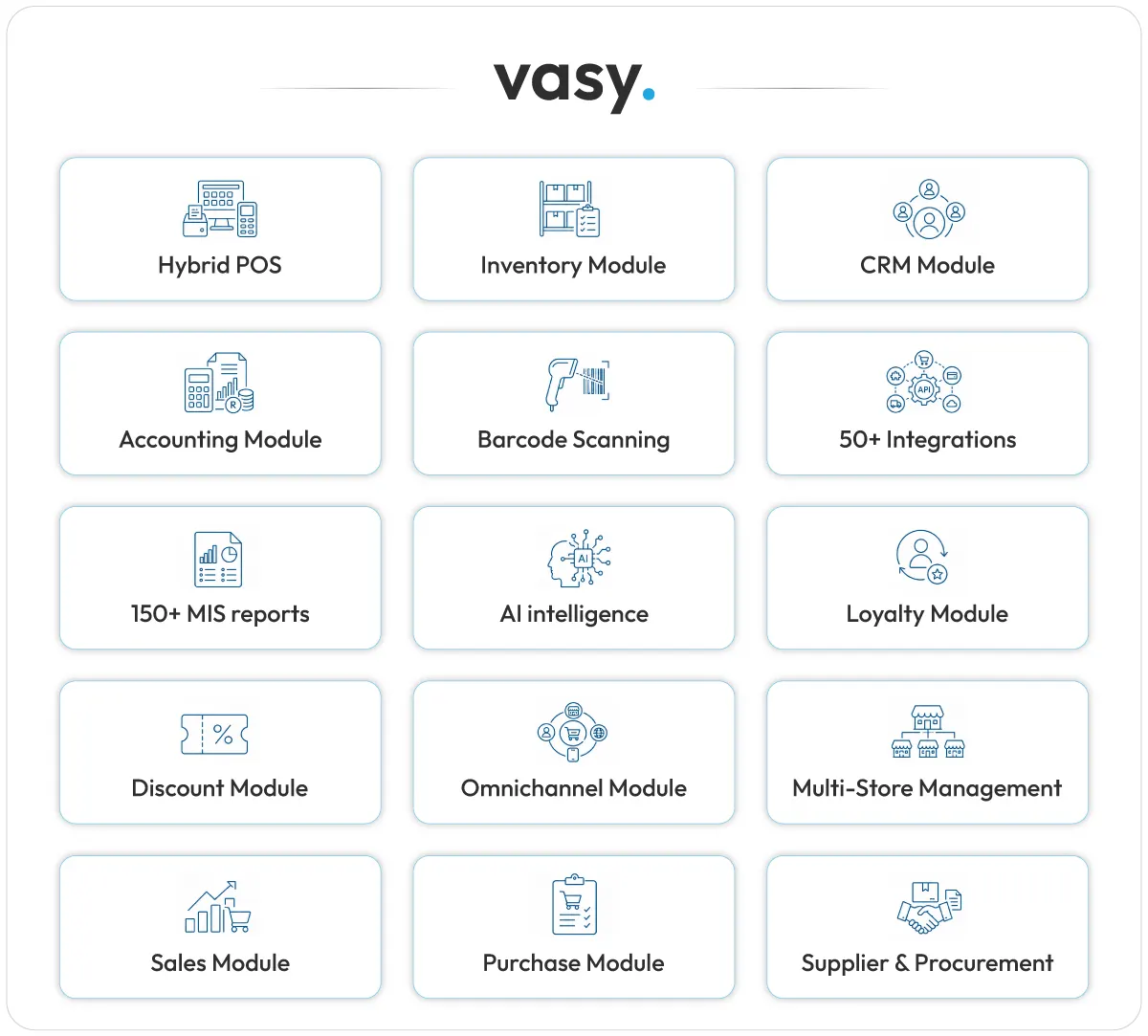
Vasy, the cloud-based POS system, scales as you grow, whether you run one store or a chain. It gives South African supermarket owners a modern, affordable POS without the enterprise price tag.
Conclusion
Your POS runs your supermarket, and therefore its right selection is critical for the growth of your supermarket. Always focus on the challenge and solution aspect when shortlisting and researching POS solutions for supermarkets in South Africa. You can make a list of your current challenges and see which POS solves them the best.
Select wisely. For more details on POS systems, connect with our expert team at Vasy and get a free demo.
Last Updated on August 25, 2026