Quick Summary:
Spaza shop owners need the right POS software for their spaza shops to manage billing, provide multiple payment methods to their shoppers, manage their credit records, and keep their stock recorded. Handwritten and manual bookkeeping is outdated and also time-consuming. This article lists the top spaza shop software solutions that are reliable, feature-packed, and custom-created for the South African township economy.
This article will help you understand:
- Best spaza POS tools, with key features, pricing, and USPs.
- What spaza POS software costs in South Africa.
- How to determine its location, layout, and product assortments.
- How to choose the right POS for your shop.
- Why offline billing matters for spaza shops.
Spaza shops are the lifelines for millions of South Africans for their daily needs and also the means of livelihood for thousands of spaza shop owners. To run the spaza shop profitably and adhere to all local municipal compliance requirements, spaza shop owners depend on modern spaza POS software. The software takes care of billing, stock management, accounting, credit tracking, sales/purchase entries, and more.
However, spaza shop owners rarely get time to research and shortlist the best spaza shop software that fits their feature needs, operations, and budget.
This is why we at Vasy have compiled a list of top spaza POS software in South Africa that spaza shop owners can implement to manage their township shops.
What is Spaza POS Software?
A spaza POS software, also known as spaza shop software or spaza software, is a complete suite of integrated applications, modules, features, and add-ons that are required for the operations and management of spaza shops. The spaza POS software makes the life of spaza shop owners easier by providing them with all the tools, features, and automations required to reduce their workload. From inventory management and accounting to CRM and billing, Spaza Shop POS has all the modules that spaza owners need.
Did you Know Johannesburg alone processed 4,043 spaza registration applications as part of the SA government's spaza shop fund drive initiative in 2026.
Source:Sowetan
5 Best Spaza POS Software in South Africa
We have compiled a list of the best spaza POS software in South Africa. It covers features, pricing, USPs, and what to check before you buy. We reviewed each vendor’s website, reviews, features, service descriptions, and pricing page to come up with the list.
The list will help you find the best spaza software in South Africa for your shop:
1. Vasy Spaza POS
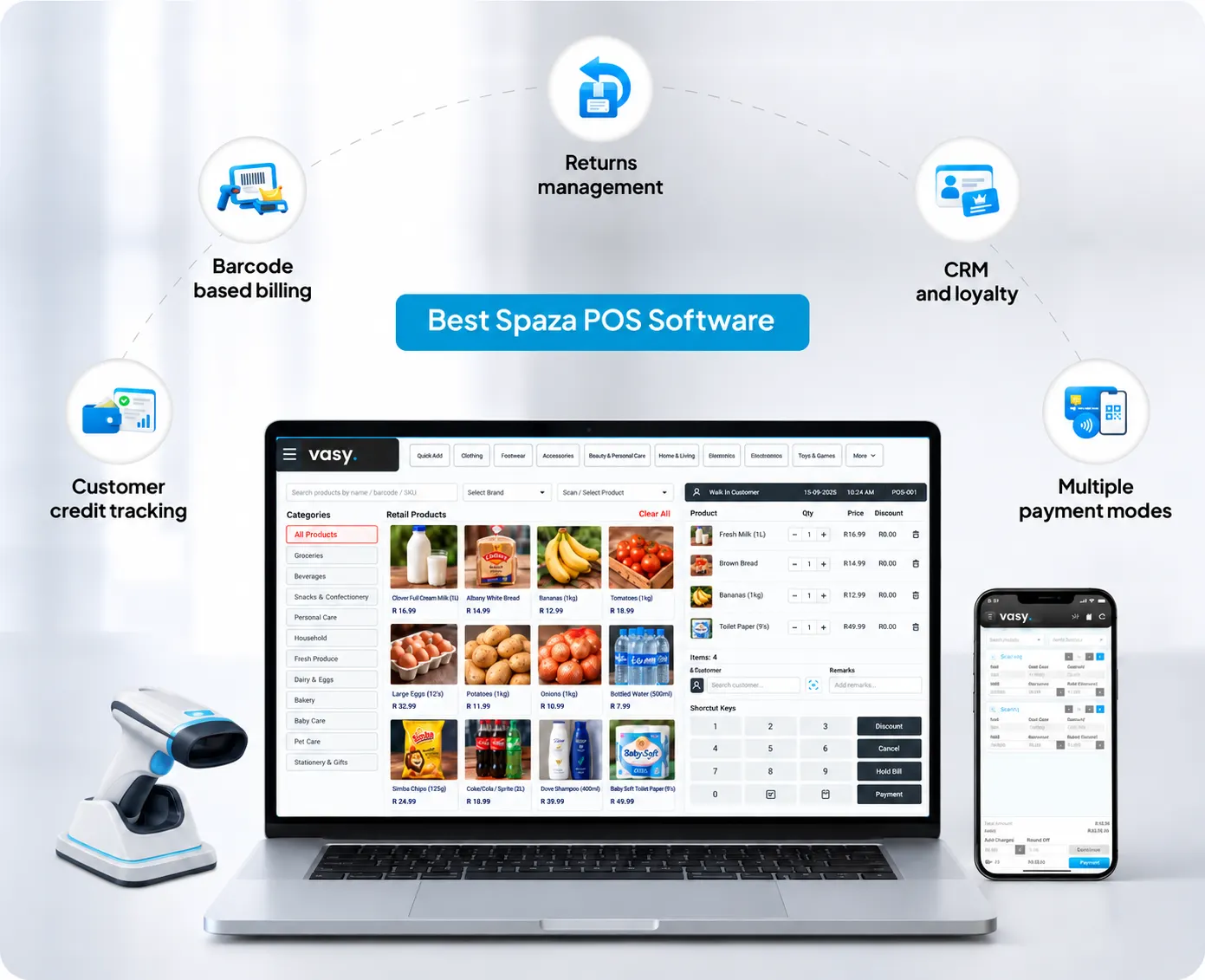
Vasy is a spaza shop software that helps spaza owners manage their billing, stock, and customers without hassle. With almost a decade of experience, it is a complete spaza shop solution built to help township shops grow. Trusted by 17,000+ businesses, it is built to work even during power outages (mPOS). Its vision is to be the go-to software for smart spaza shop owners. Its advanced features include multi-UOM selling, cash flow statements, VAT and non-VAT billing, a multi-shop dashboard, and integrations with SnapScan/Zapper.
Vasy South Africa puts customers first and keeps innovating and updating features as per the spaza shop business needs. vina, Vasy’s AI layer can directly answer your queries related to bills, cash, stocks, suppliers, etc.
Key Features
- Barcode-based billing and Weight-based billing
- Multiple payment modes
- Returns management
- Customer credit tracking
Price: Custom pricing based on tills, users, and shops. Book a demo to get a quote.
USPs:
- Hybrid POS
- mPOS
- Credit-Tracking
- AI Integration
2. Easyas (LunarPOS)
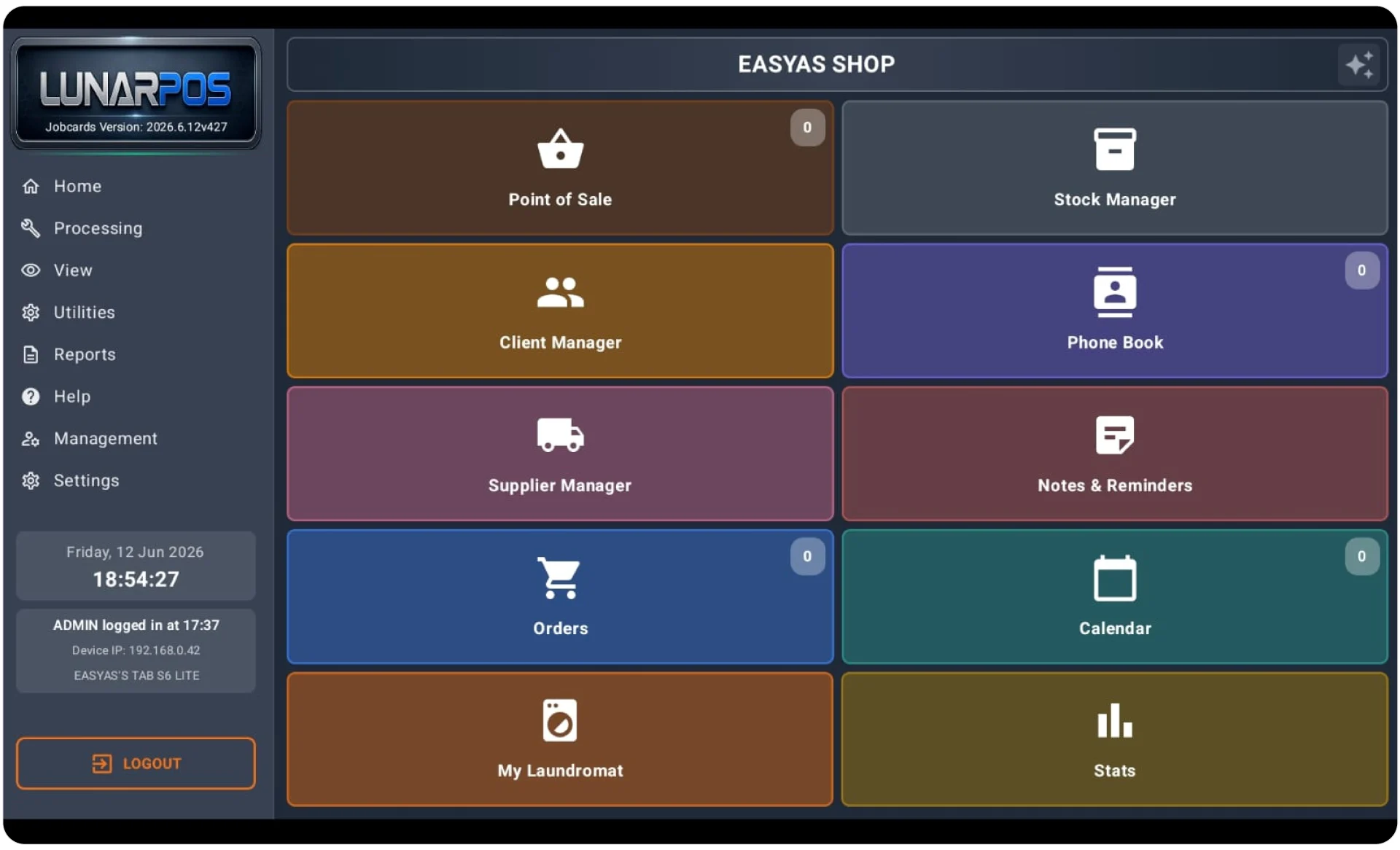
EasyAs (LunarPOS) is a point-of-sale (POS) system built for the corner township shops. It runs your whole shop on one Android tablet and a printer. It keeps selling when the internet drops. Most spaza shops run on a cash box and memory. LunarPOS replaces that with a proper till.
Whether you scan or tap an item, or take cash or card, LunarPOS has features for it. With 20+ years in business, 4,000+ users and 50+ industries served, it is built for township and small-shop trading. It also comes with local South African support. It has features for supplier management and order tracking, a customer phone book, and order management.
Key Features
- Point of Sale
- Automatic stock deduction
- Live stock reorder alerts
- Daily cash-up against drawer
- Customer accounts with statements
Price: License costs for LunarPOS. Contact for a quote.
USPs:
- Runs on Android Tablet
- Offline trading by design
- Local South African support
- Stock Manager
3. SpazaOne
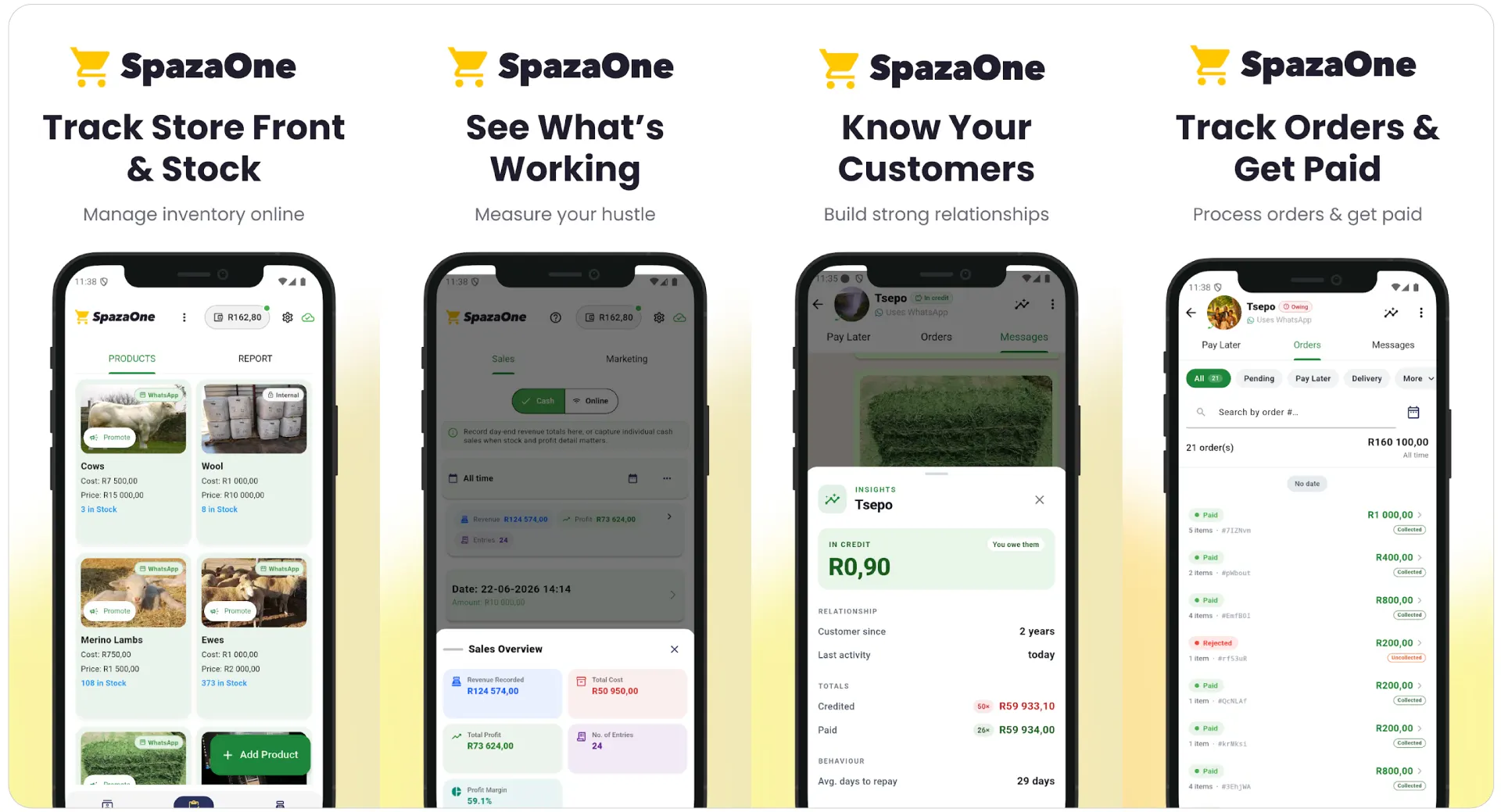
SpazaOne, a spaza POS software, helps spaza shop owners send WhatsApp reminders, keep track of customers, and run the store from a single device. It is built for the spaza shop down the street and tuck shops. From credit-based selling to airtime sales, SpazaOne makes spaza operations easier.
Credit-based selling is hard to track. You have to remember who took what. SpazaOne makes it clear and easier to track, even part-paid purchases. You always know who owes what, without going through your register. With SpazaOne, you can run your shop from one phone, with no computer or till needed.
Key Features
- Add items to a tab
- Settle tabs when customers pay
- Credit Tracking
- WhatsApp payment reminders
- Handle airtime and top-up credit
Price: Not listed publicly. Contact SpazaOne for a quote.
USPs:
- Phone-first
- WhatsApp-led customer follow-up
- Supports women-led spaza businesses
- Free to try on app stores
4. My Spaza
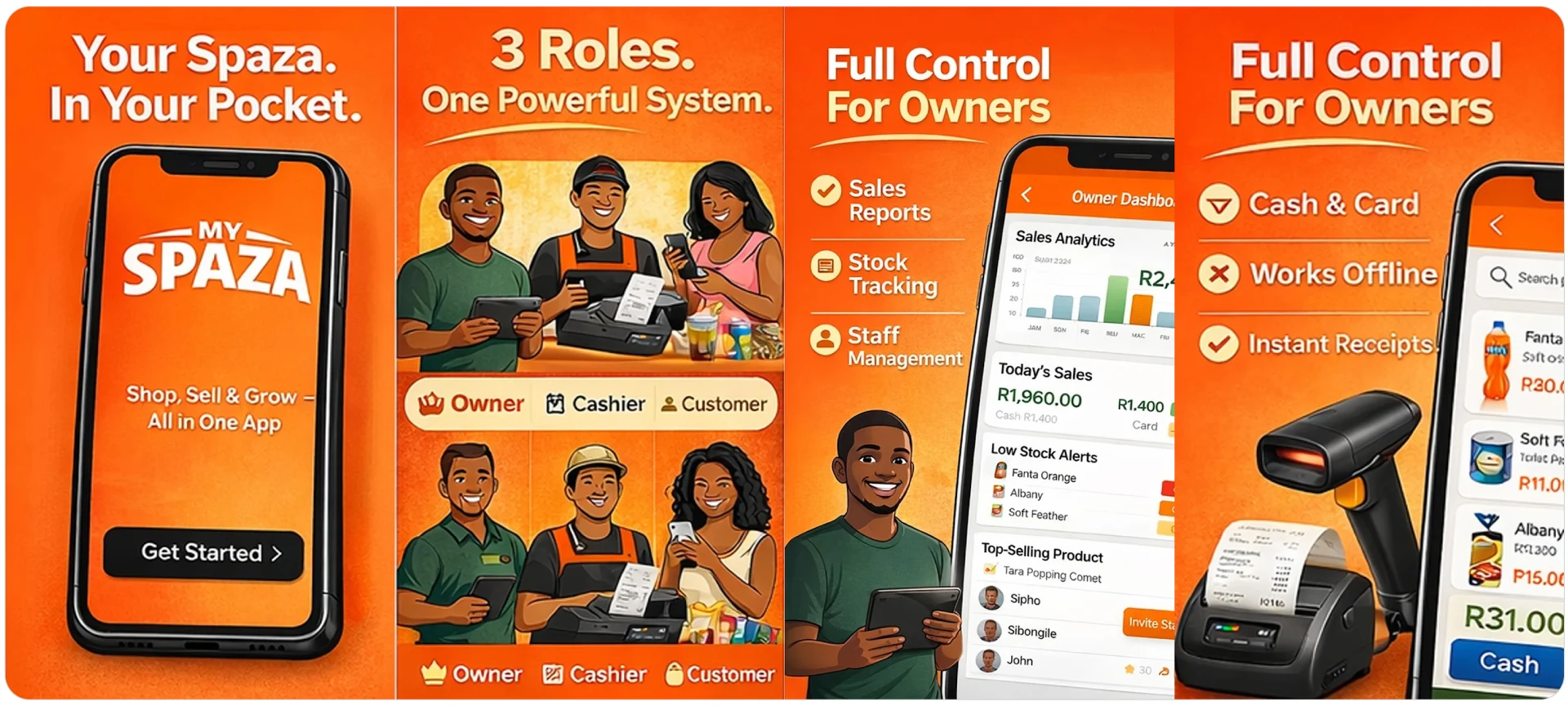
My Spaza is a retail app designed for spaza shops, small stores, and local shops. My Spaza was designed in South Africa to help communities across Africa. It helps local shops become modern. It brings together shop owners, cashiers, and customers in one system. Shop owners can grow their business. Cashiers can do their job quicker.
Real-time inventory management tools, product catalogue management, sales and business analytics, secure cloud backup, and orders and delivery management are also the top features you can avail of with the My Spaza application.
Key Features
- Powerful point-of-sale system
- Multi-user access for cashiers
- Loyalty rewards for customers
- Customer credit management built in
- Works offline with instant receipts
Price: Free tier for basic use. My Spaza Pro adds unlimited products and transactions, advanced reports, and priority support.
USPs:
- Designed in South Africa
- Fast, simple, and secure
- Modern tools, personal service
- 7-day free trial for owners
5. Retail Systems Spaza POS
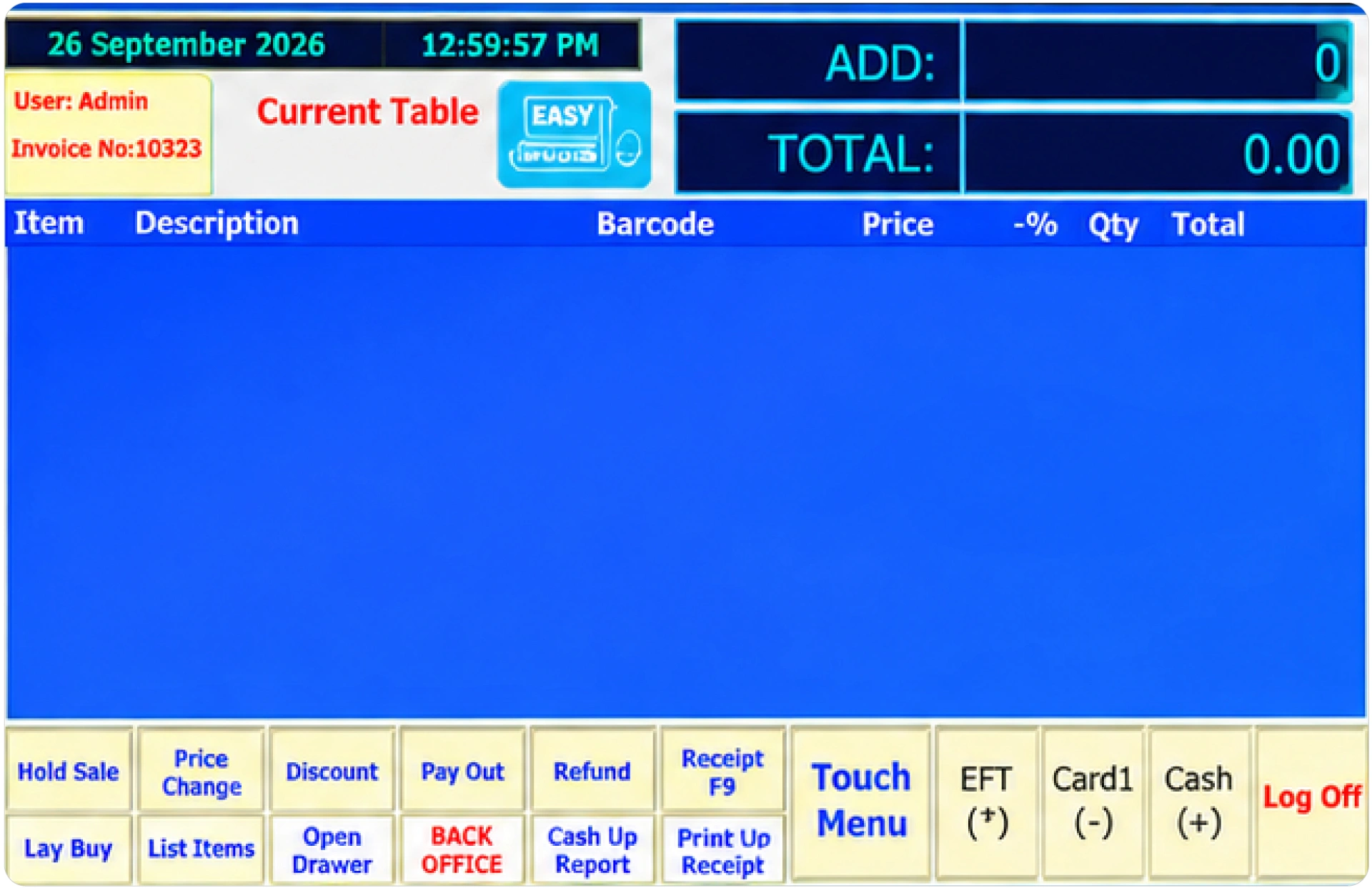
Retail Systems sells a complete township spaza shop POS software platform. You get the computer, scanner, printer, cash drawer, and POS software in the box. It runs without internet, which suits township and rural shops. You pay once and own the system.
The software has no monthly fees. Installation guides, video tutorials, and remote support help you set up on your own. You get additional utilities for stock tracking, daily and periodic sales reports, barcode generation, and shelf-edge label printing.
Key Features
- Fast barcode scanning
- Easy-to-use sales screen
- Fast receipt printing
- Works without internet
- Card payments with Capitec, FNB, and more.
Price: R7,895 once-off for the full hardware and software bundle. No monthly software fees.
USPs:
- One-time payment
- No subscription requirements
- 30-day money-back guarantee
- 12-month warranty
Spaza POS Feature Comparison
| Software | Works offline | Customer credit tracking | Airtime and electricity | Device | Payment & Extras |
|---|---|---|---|---|---|
|
Vasy Spaza POS |
Yes (hybrid offline POS) |
Yes |
Yes (tracking) |
POS counter, laptop, desktop, and mobile |
SnapScan/Zapper, VAT billing, multi-shop dashboard, AI layer (Vina) |
|
Easyas (LunarPOS) |
Yes |
Yes (customer accounts with statements) |
Not listed |
Android tablet and printer |
Daily cash-up, supplier manager, add a second shop |
|
SpazaOne |
Not listed |
Yes (tabs, part-payments, WhatsApp reminders) |
Yes |
Android and iOS phone |
No till or computer needed |
|
My Spaza |
Yes |
Yes |
Not listed |
Mobile app |
Loyalty rewards, delivery management, multi-user access |
|
Retail Systems Spaza POS |
Yes |
Not listed |
Not listed |
Full hardware bundle (computer, scanner, printer, cash drawer) |
Card payments via Capitec, FNB, Nedbank, ABSA, Yoco and iKhokha |
How Much Does Spaza POS Software Cost in South Africa?
Spaza shop software prices vary per month for top spaza shop software solutions. The prices for spaza POS software vary from free versions to paid versions depending on what is offered and how qualitative the service is. While it does not have to be expensive, the cheapest option rarely covers credit, stock, and offline billing.
What determines the price?
- Features: More features and modules mean higher prices
- Offline mode: A spaza POS that runs without internet will add to the cost.
- Number of Shops: More shops mean a higher price per shop.
- Expertise: Retail technology expertise and experience in spaza shop software solutions.
- Support: The type of support, future updates, and cloud-based feature enhancements will increase the prices.
Note: Confirm them with each vendor before you buy.
Pro Tip: Never select spaza shop software based on price only. Reliability, features, service quality, domain expertise, and solutions to your key challenges must be the key determinants of your selection.
How to start?
- Start with a free trial or a live demo.
- Ask all your questions before you buy.
How to Choose the Right POS for Your Spaza Shop
The best spaza POS software is the one that provides you relief from the hassles of billing, credit tracking, expiry management, stock and sales management, and many more.
1. Billing & Credit Tracking Features
Check with the provider whether they offer barcode-based billing and weight-based billing or not. These two are very important, as you can speed up billing if you can simply scan the barcode to add all product details on the billing screen.
Weight-based billing will help you bill faster for items that you sell loose and bill as per their weight. Check if it tracks credit or not. This way, you always know how much your customers owe you.
2. Stock Management Features
Here, you need to ask whether the software directly synchronizes the inventory lists with every bill created on the POS or not. This means that your stock numbers should get updated with every bill you generate on the POS.
Apart from that, the software must categorise inventory, calculate the inventory turnover ratio, record all product data, and must have features for barcode generation. With barcode labels, you can classify your inventory and ease tracking and billing.
3. Waste Management & Expiry Tracking Features
Ask the provider if they offer expiry tracking and waste management features too. For instance, the software must send alerts before the expiry dates of the products so that you can sell the products that are approaching expiry on priority.
Also, the software must notify you about your least-selling items so that you do not overstock them. This is to avoid wastage and stock spoilage.
4. SARS/VAT Compliance
Currently, you may not be in the mandatory VAT compliance bracket as per your sales revenue (below R2.3 million), but in the future, if you grow to scale past that threshold, you will need VAT-compliant accounting software. Also, if you have crossed the threshold, then you also need POS software that generates VAT-compliant billing.
5. Scalability
The best spaza shop software is the one that helps right from when you register a spaza shop to when you add new stores across townships. It should be super easy to add new outlets and their data (customers, stocks, suppliers, etc.) to new spaza outlets opened by you. This way, it keeps your business centralised and controlled from a single dashboard.
6. Supplier Management
Ask the provider whether the software tracks your suppliers and purchases. You should be able to record which supplier gives you which product, and at what price. This is called product-wise supplier mapping. It shows you which wholesaler is cheaper for each item, so you do not keep paying more for the same product.
7. Multi-UOM (Unit of Measure)
Check whether the software lets you buy in one unit (bulk) and sell in another (loose or single units). Spaza shops do this every day. You buy a carton of cigarettes and sell single sticks. You buy a 10 kg bag of flour and sell by kilogram. With multi-UOM, the software converts the units automatically.
8. Returns Management
Returns are important for spaza shops. Ask whether the POS records ‘returns and refunds’ against the original bill. Customers’ returns must not go unrecorded and must immediately update the inventory records. The software should add the returned item back to stock.
It should also let only authorised users (trusted cashier) approve refunds. This prevents fake refunds and keeps your stock and cash records matching.
9. Product Mix: (Daily supplies, Airtime and Electricity)
Most spaza shops sell daily groceries, bread, milk, prepaid airtime, and electricity. The product mix is diverse. Check whether the software records them separately and by department, brand, category, variant, etc. Separate records show you which product category sells more and help you stock profitably.
10. Multiple Payments
Make sure the software supports cash, credit card, debit card, and other modern methods of payment such as Zapper or SnapScan. Accepting more payment types keeps your shoppers happy.
Red flags to avoid:
- No offline mode, or no clear answer about it
- No local support in English or your language
- Hidden hardware or setup fees
- No free demo or trial
- No way to export your data
Why Offline POS Matters for South African Spaza Shops
Load shedding has eased in South Africa, but many townships, rural areas, remote areas, and even parts of some cities still face once-in-a-while electricity outages. Also, internet connectivity is stable across most of the parts of South Africa, but there are instances of internet outages in some areas. The best offline spaza software keeps your till working when either one fails.
That is why offline mode belongs at the top of any list of the best spaza POS software.
- An offline POS keeps billing running during connectivity issues.
- An mPOS helps set up a billing counter without electricity.
- Hybrid POS synchronises sales data to the cloud POS when connectivity returns.
- All inventory records during offline billing get updated automatically.
Wrapping Up
Running a spaza shop is challenging. Owners have to manage sales, purchases, stocks, credits, etc. Most of these problems are due to manual record-keeping. With POS software for spaza shops, you can resolve these issues and easily manage your spaza shop.
A POS keeps digital records of customer data, sales, purchases, supplier transactions, and your inventory. It automates multiple tasks from expiry tracking to VAT compliance. Barcode scanning and weigh-scale integrations such as those provided by Vasy speed up checkout processes.
Each software solution mentioned and discussed in this article is one of the best POS software options for Spaza shops in South Africa.
Book a trial or demo to finalize for your store.
Frequently Asked Questions
Vasy Spaza POS is the best spaza POS software owing to its spaza-specific features, affordability, and high-quality services. Also, you get a free demo, custom options, and the Vasy App as added benefits. Easyas, SpazaOne, My Spaza, and Retail Systems also rank among the best spaza software in South Africa.
Spaza software must have features for barcode billing, customer credit tracking, multi-UOM selling, barcode generation, and low-stock and expiry alerts. It must also have features for spaza shop stock management, multiple payments, VAT compliance, POS reports and analytics, and offline mode.
Yes, if it has an offline or hybrid mode, such as Vasy’s spaza shop POS. It saves sales on the device and syncs when the network returns.
Yes, it is a key feature of advanced spaza software. Inventory workflows include stock listing in the POS, barcoding, stock categorization, and best/least selling inventory alerts. Inventory analytics are key features of spaza POS. It should help reduce stock loss for spaza businesses.
Yes, barcode scanning-based billing is faster and eliminates price errors made due to manual billing practices. Check with the provider if they offer features for barcode and weight-based billing and barcode label generation.
Yes, if it has a multi-shop management module like that of Vasy, which lets you run several spaza shops from one dashboard. You see sales and stock for each shop in one place. You can also compare which shop sells the most and move stock between them.
Free software suits a start-up shop or a trial. But free plans usually cap the number of products you can add, the number of bills that you can generate in a month, and even impose transaction limits.
Last Updated on October 6, 2026