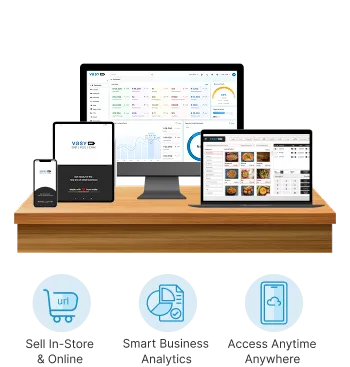
Buy in Cartons, Sell in Pieces With Multi-UOM
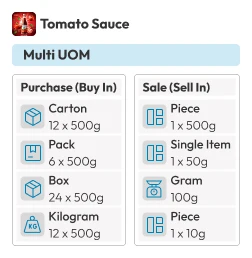
Vasy's multiple unit of measure (Multi-UOM) feature lets South African businesses, from supermarkets to liquor stores, bulk buy inventory in cartons, packs, boxes, and kilograms and sell in loose pieces, single items, grams, and pieces.
Request a Free Demo






Drop in Manual Conversion Errors
Faster Billing Processing Time
Cashier Hours Saved Per Month
Automated Unit Conversions
Why Your Business Needs Multi-Unit Inventory Management
One Product, Multiple Units, One Accurate Stock Count.
Custom UOM Setup
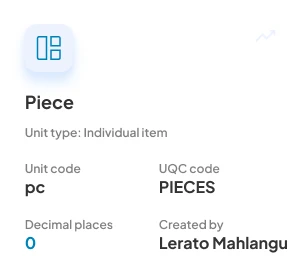
Flexible Units Creation
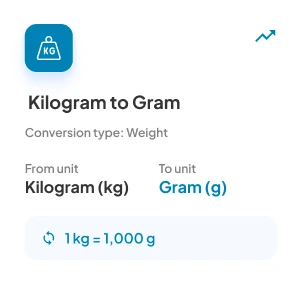
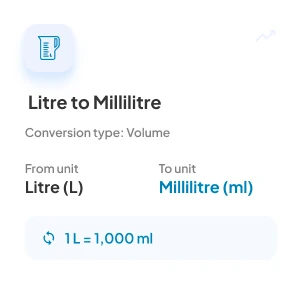
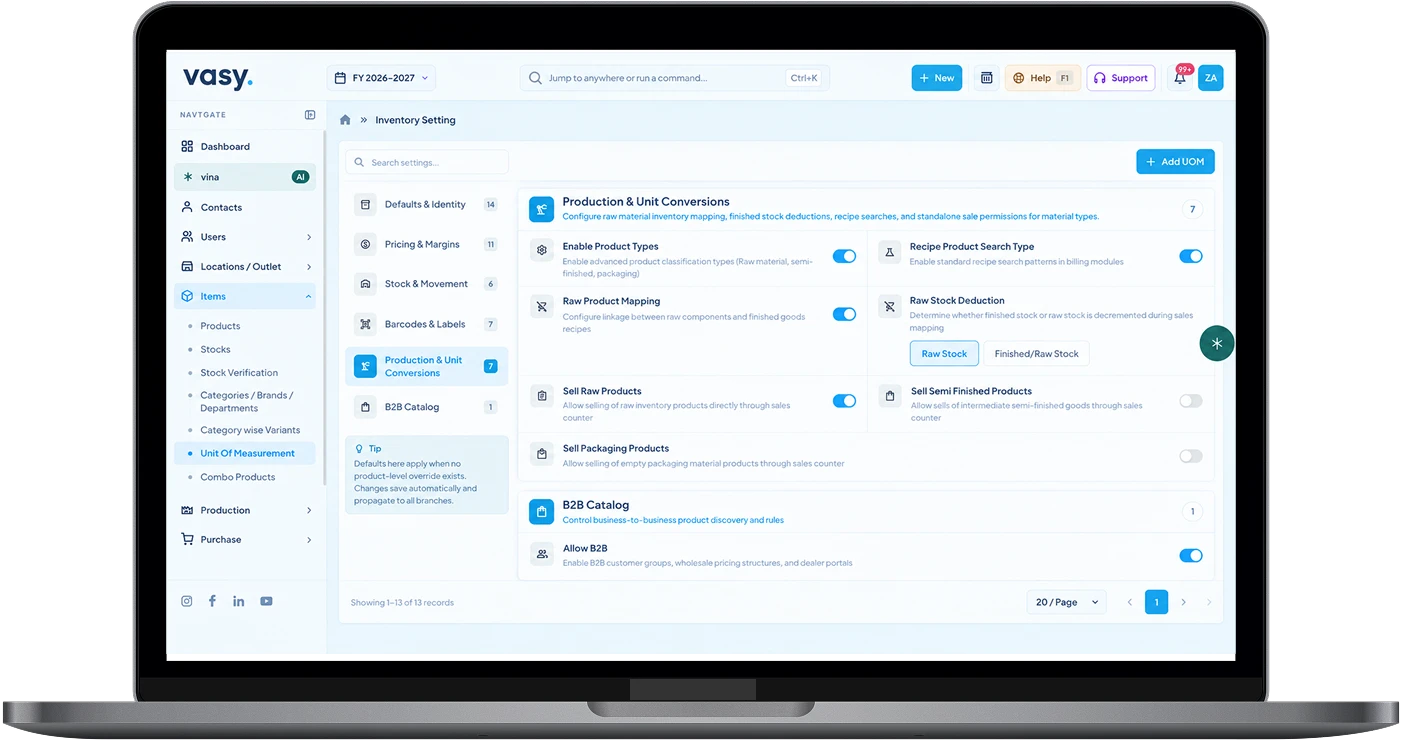
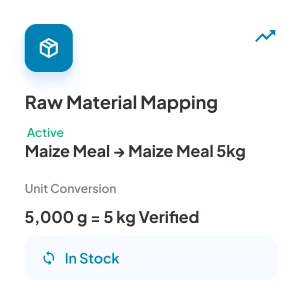
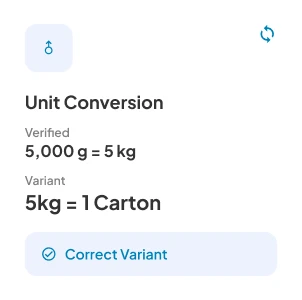
Accurate Unit Conversions
Core Features
Extensive capabilities of Vasy's multi-unit inventory management
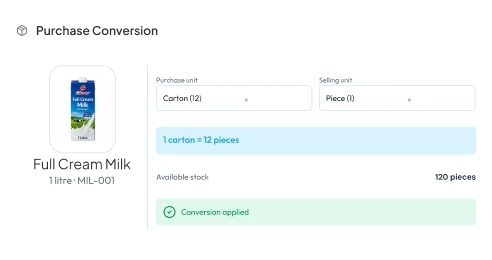
PURCHASE CONVERSION
Buy in Bulk Units, Sell in Singular
Enter purchases in higher units, and Vasy converts them to selling units for you.
-
Set the conversion units for various products
-
Update inventory in bulk units after purchase.
-
Update inventory in singular units for every sale.
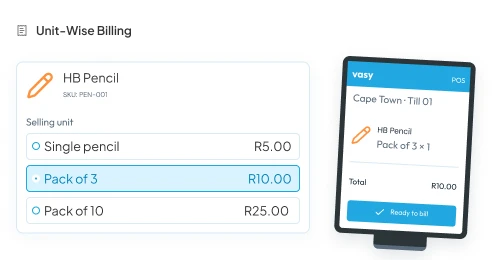
UNIT-WISE BILLING
Bill the Same Product in Different Units
Cashiers can choose the selling unit at the POS. Sell the same products in diverse units.
-
Set diverse selling prices as per unit of measure
-
For instance, R5 for a single pencil, R10 for three.
-
Deduct stock quantity from inventory record per unit sold.
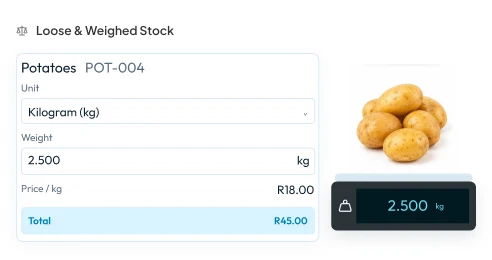
LOOSE & WEIGHED STOCK
Built for Loose and Weighed Items
Buy in cartons, kilograms, or sacks and sell by piece or grams with loose and weighed conversions.
-
Convert bulk purchases in kilograms/tonnes to grams or milligrams.
-
Bill loose items by weight with weigh-scale integration
-
Set different prices as per weight/packs.
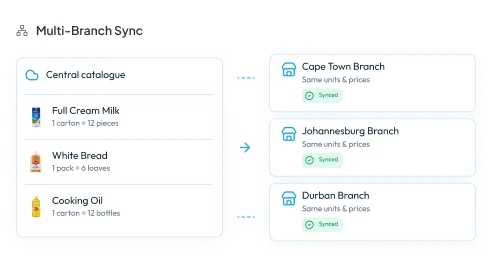
MULTI-BRANCH SYNC
Same Units Across Every Branch
Define units, their prices, and conversions once in a central catalogue. Different branches bill at the same conversion rates.
-
Update a conversion unit at all branches at once.
-
Transfer stocks without unit of measure mismatches.
-
Reduce UOM conversion errors at all branches.
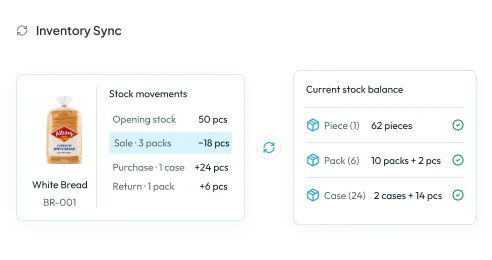
INVENTORY SYNC
Sync Units With Inventory
Every sale, return, and purchase updates stock in the defined conversion unit.
-
Multi-UOM sync with inventory management module
-
Customer returns convert back to the single units correctly.
-
Stock balances accurately across different packaging levels
Additional Features
Smart features in Vasy's multi-unit inventory management
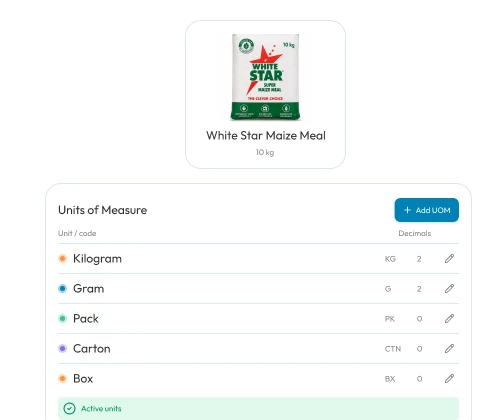
Add and Edit UOM
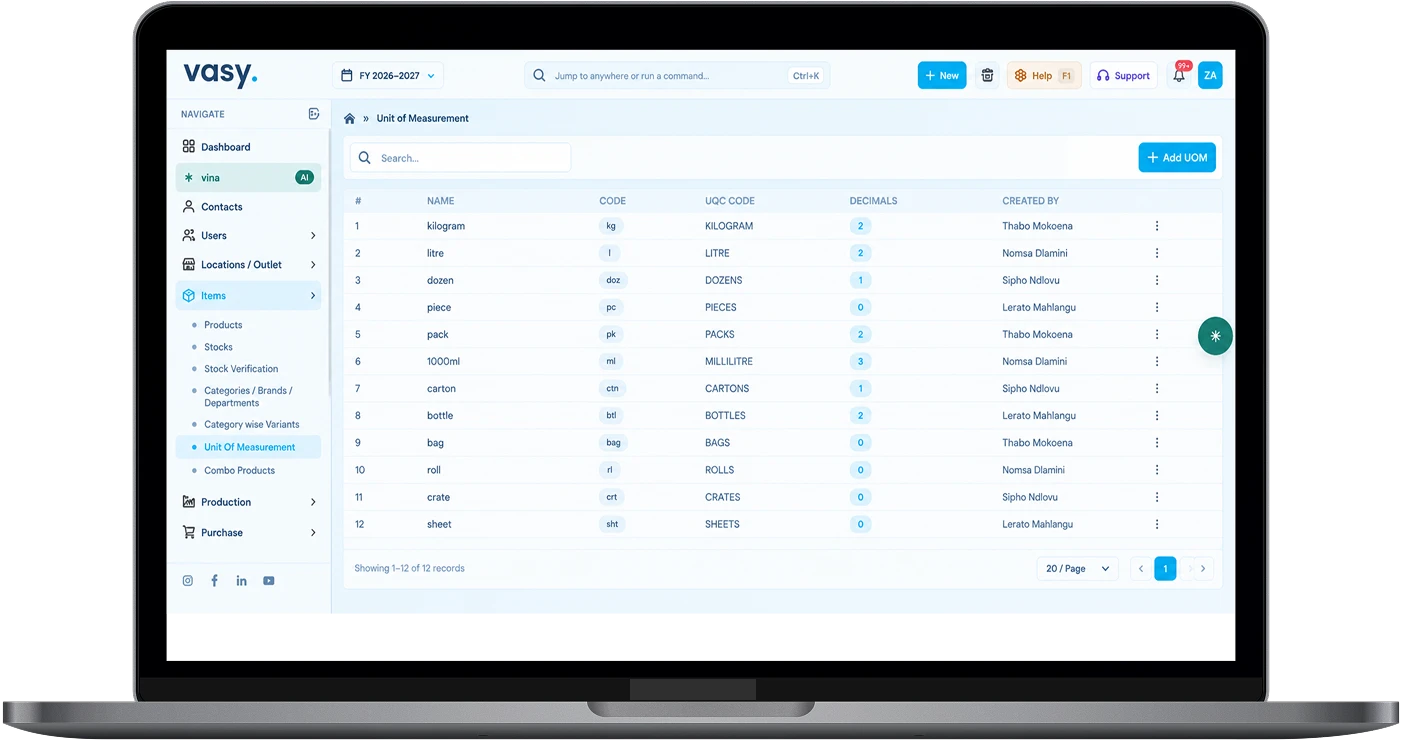
Vasy’s multi-UOM feature lets you add several units of measure as required and edit them if your policies change.
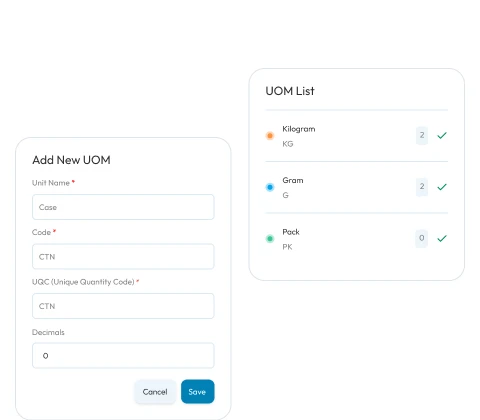
Define UOM
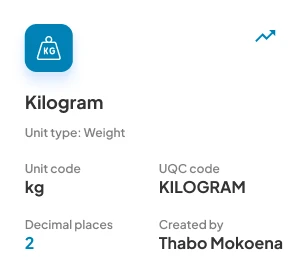
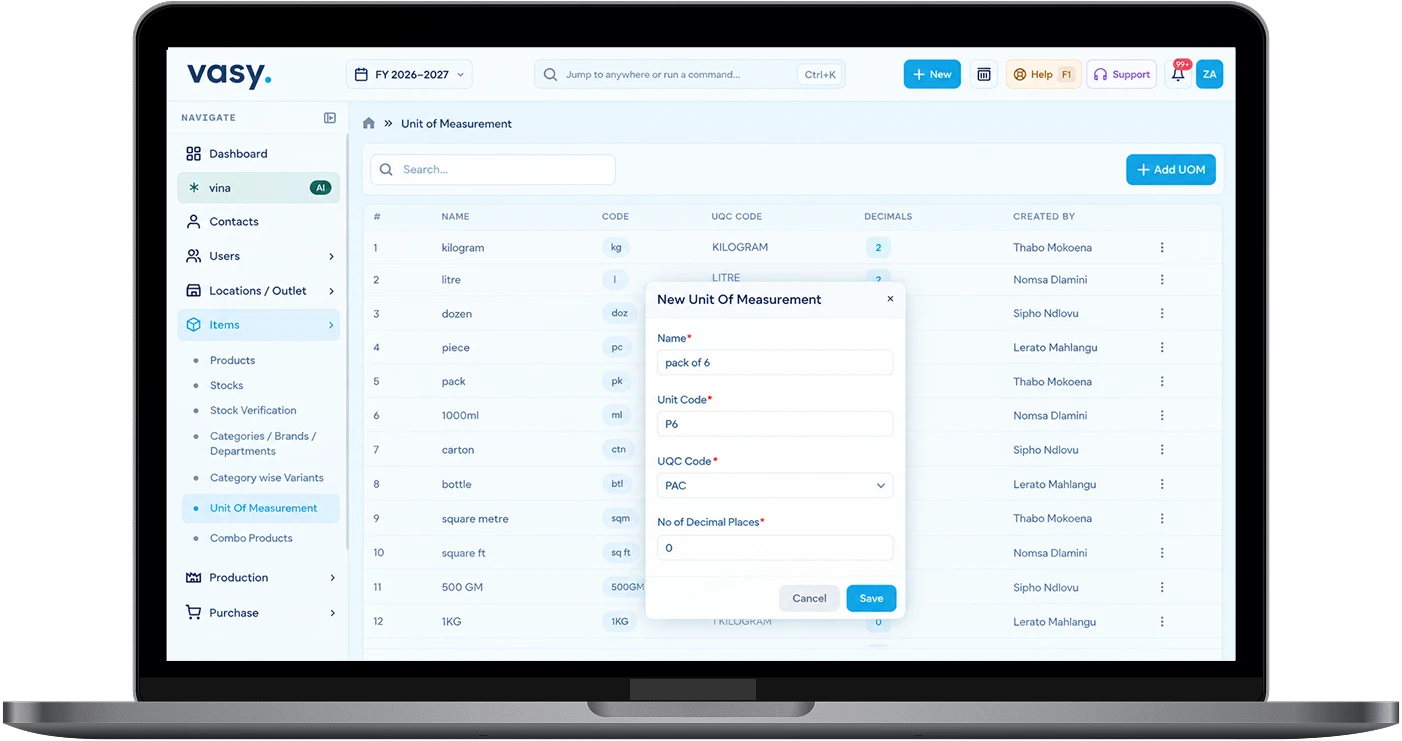
You can add the name of the unit, its code, UQC (Unique quantity code), and decimals in the New UOM addition screen.
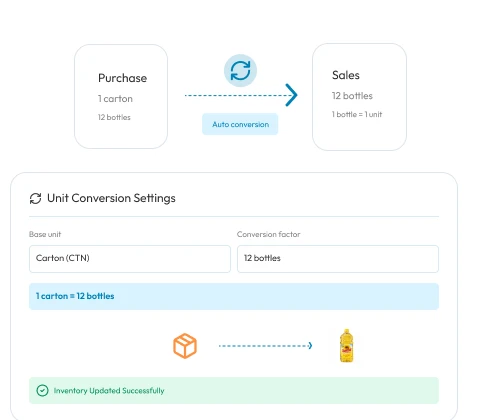
Smarter Unit Conversion
Suppliers sell in cartons and customers buy in pieces. Vasy converts the purchase to sales units automatically.
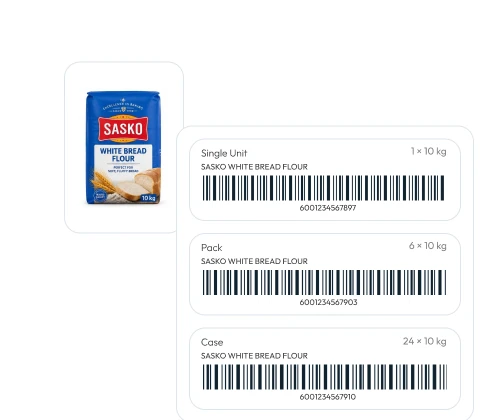
Create Unit-wise Barcodes
Generate separate (unit-wise) barcode labels for purchases and single items, packs, and cases.
Unit-Wise Stock Reports
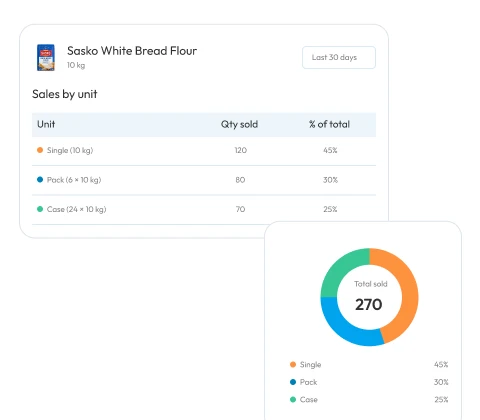
See stock and POS reports by product units. Know which units or pack types sold more and which ones sold less.
Stop Converting Units Manually
Automate unit conversions for each product you sell.
Book a Free Demo
Built for Businesses of Every Industry
Making unit conversions simpler for businesses, from supermarkets to liquor stores.









Integrations That Make Your Workflow Effortless
Everything connected in one place, making your business workflow smarter, faster, and stress-free.
Steps to Use Multi-UOM in Vasy
Set up your multiple units of measure easily with a step-by-step process.

Buy in Base Units
Receive stock from suppliers in the set bulk base unit, such as boxes, cartons, dozens, etc.

Add Product to Item Master
Add each product with its name, SKU, and category to the item master.
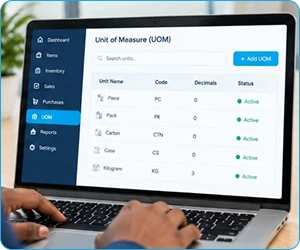
Open Add UOM
In the UOM feature, go to the Add UOM section to create new units of measure.

Sell in Singular Units
Sell in singular units such as grams, pieces, millilitres, square feet, etc.
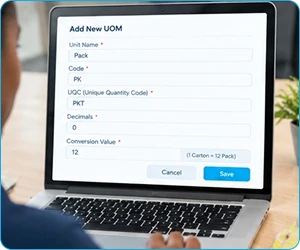
Assign Unit-Wise Value
Set the name of the unit, UQC code, decimal places, and conversion value.
Advantages of Multi-Unit Inventory Management
Keep billing accurate and speed up stock transfers with automatic unit conversion.

Accurate Stock Levels
Multi-UOM keeps the stock levels accurate even when you buy in one unit and sell in different units.

Faster Purchases
Irrespective of how you sell, you can always purchase in bulk units (cartons, batches, boxes, etc.)

Sell Loose Items Error-free
Each unit is assigned its own price and sells at that price on the POS. Eliminates billing errors.

Lower Stock Losses
Clear unit-wise records make mismatches easy to spot before they become losses.

Centralised UOM
One central unit setup applies to every store so that all stores sell using similar units of measure.
Explore Our Business Solutions
Discover integrated solutions designed to simplify operations, manage your business, and support your growth.


Hear From Numerous Happy Businesses
Learn why Our Customers Trust Vasy



Use multi-unit inventory management to buy in bulk, sell in any unit, and trust your stock numbers.
Schedule a Free Demo Today